
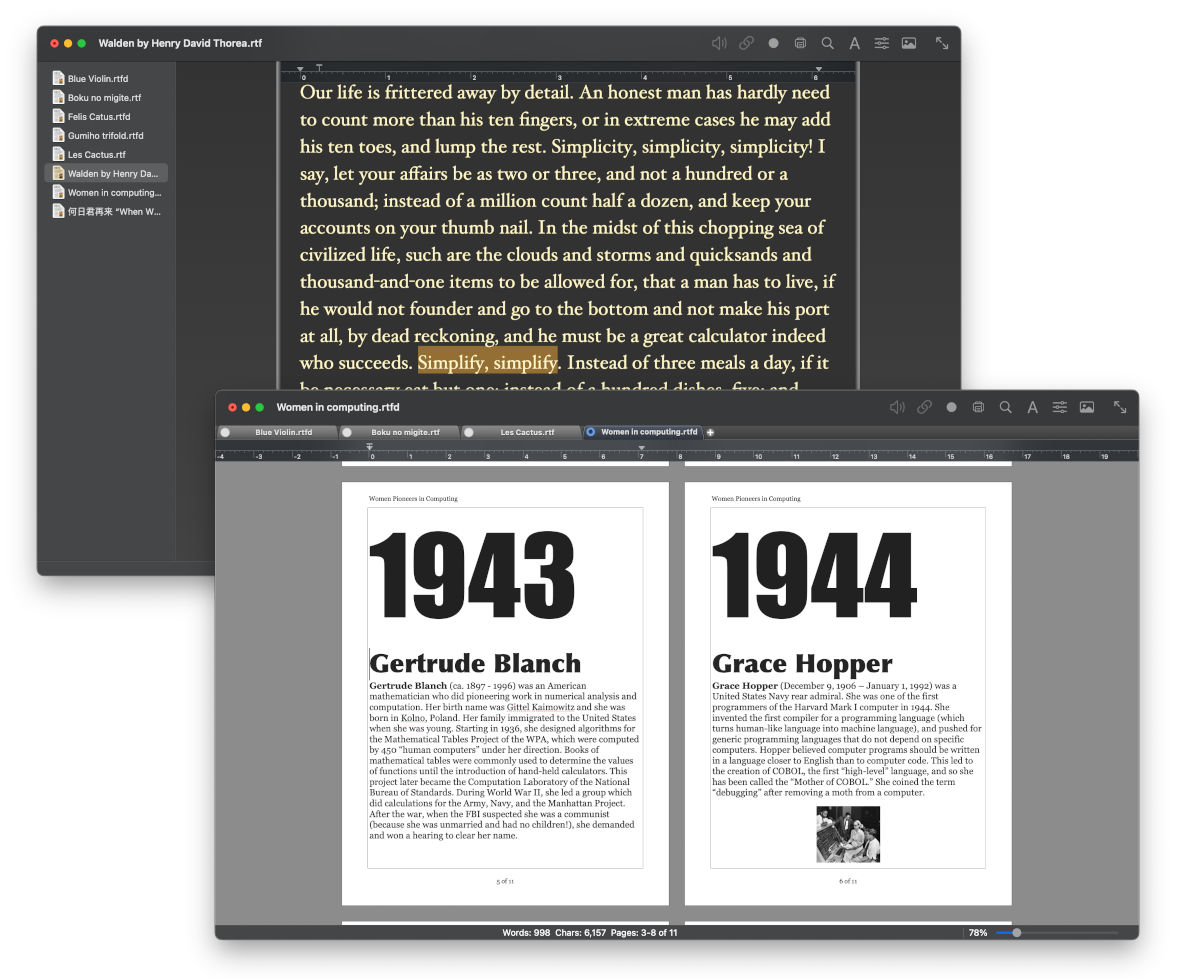
Bean is a small, easy-to-use word processor that is designed to make writing convenient, efficient and comfortable. Bean is lean, fast and uncluttered. It starts up quickly, has a live word count, and is easy on the eyes. Also, Bean is available free of charge.
Bean has some limitations: it doesn't do footnotes or use stylesheets and is only partially compatible with Word's file formats. Also, it allows in-line graphics, but not floating graphics.
Screenshots & Tour / Read about file formats
|
Features • live word count • make template documents • free-form headers and footers • page layout view (optional 2-up) • dark mode, alternate colors • split-window editing • full screen / focus mode editing |
• date-stamped backups • find panel with regular expressions • word completion, dictionary • inspector for formatting • highlighter • select by text style • floating window |
• Version 3.7.8, Released 2 September 2026 Changelog
• For MacOS Golden Gate (27), Tahoe (26), Sequoia (15), Sonoma (14), Ventura (13), Monterey (12), Big Sur (11), Catalina (10.15), Mojave (10.14), and High Sierra (10.13)
• Included localizations: Catalan, Chinese (Simplified), Dutch, Finnish, French, German, Italian, Polish, Portuguese (Brazilian), Slovak, Spanish
• MD5 checksum for download file: 88a7be50cfc6606280a5b082e6f6a373
Versions for older Macs:
Bean 3.2.9 for macOS Sierra 10.12
Bean 3.2.5 for OS X 10.5 to OS X 10.11 (El Capitan)
Bean 3.1.1 for PowerPC Macs running OS X 10.5
Bean 2.4.5 for PowerPC Macs running OS X 10.4
List of all previous versions.
Installation
To install, double-click the downloaded .zip file. This will unarchive a folder named Bean-Install. Inside this folder you will find Bean.app, which you can drag into your Applications folder. You can then trash the .zip file and the Bean-Install folder. If you are upgrading versions, be sure to quit the older version first.
If you see a dialog stating “The app is not from the Mac App Store,” control-click the app icon, then choose Open from the shortcut menu. You can open it in the future by double-clicking it.
FAQ / Troubleshooting
Answers to common questions about Bean are here. For troubleshooting, click here.
Cost / License / Sourcecode / Warranty
Bean is provided at no monetary cost.
Bean.app is released under The Bean Word Processor Software License.
Bean 3.x is closed source.
Bean comes with no warranty; you assume all the risk of using it.
Contact
Report bugs, give feedback, or ask questions here: jnrh2001 (at) yahoo (dot) com.
Instructions for localization here.